Your Office Chair's Lumbar Support Is in the Wrong Place
Quick Answer: Chair lumbar curves are molded at a fixed height from the seat pan, sized for a standard torso. On a longer torso, that curve lands below your lumbar spine — at the top of your pelvis or your waist — where it does nothing useful and often feels like a bar. Fixes, in order: use a chair with height-adjustable lumbar support, add a separate lumbar cushion positioned by you, or raise your seated height so the curve lands correctly.
You did everything the ergonomics guide said. Seat height right, feet flat, monitor at eye level. And there is still a firm ridge pressing somewhere around your waistband that you keep shifting away from.
Lumbar support is the one adjustment most chairs do not actually let you make — the curve is built into the backrest at a fixed height, and every other adjustment moves you relative to it rather than moving it relative to you. The third section covers what your body does to escape it.

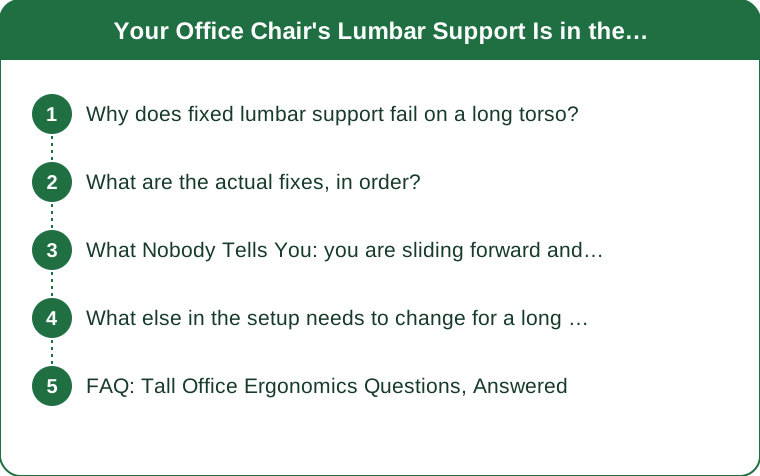
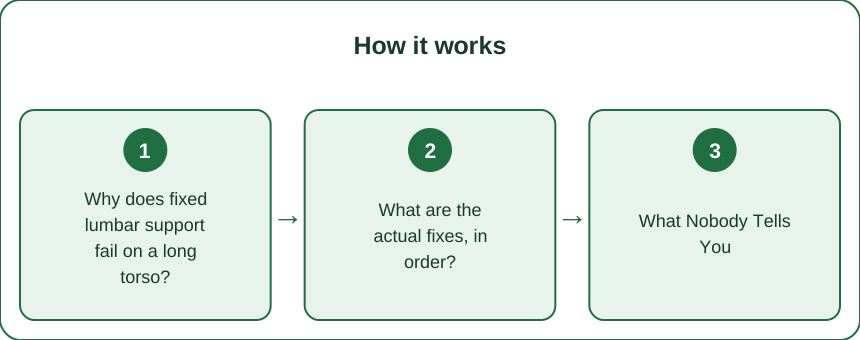
Why does fixed lumbar support fail on a long torso?
The support is placed by geometry that assumes your proportions.
Your lumbar spine — the inward curve of your lower back — sits between your ribcage and your pelvis. A chair’s lumbar bolster is molded into the backrest at a height measured up from the seat pan, chosen so that it meets that curve on a person of average seated torso height.
Seated torso height, not standing height, is what matters here — and it varies more between people than seat-pan-to-lumbar distance does between chairs.
On a longer seated torso, your lumbar curve sits higher above the seat pan than the chair assumes. So the bolster meets you lower down: at the top of your pelvis, at your sacrum, or right at your waistband.
The consequences:
No support where you need it. Your actual lumbar curve is unsupported, so it flattens over the day as you fatigue — which is exactly what lumbar support exists to prevent.
Pressure where you do not want it. A firm bolster against the sacrum or the top of the pelvis is uncomfortable, and it can tilt your pelvis backward, which flattens the lumbar curve further. The support is actively working against the posture it is meant to produce.
You slide forward to escape it. More on this below, because it is the compensation that causes the most trouble.
Adjusting seat height does not solve it. Raising the seat raises you and the curve together, since the bolster is measured from the pan.
What are the actual fixes, in order?
From most to least effective.
1. A chair with height-adjustable lumbar support. This is the real answer and it is a specific feature to look for. Many mid-range and most high-end task chairs have a lumbar unit that slides up and down independently, and some have adjustable depth as well. If you are buying or requesting a chair, this feature matters more for you than almost anything else on the spec sheet.
2. A separate lumbar cushion you position yourself. Inexpensive, effective, and completely under your control. Place it so it sits at the inward curve of your lower back — roughly at or just above your belt line, not below it. Strap-on versions stay put; loose ones migrate.
3. Raise your seated height relative to the backrest. A firm seat cushion raises you so the fixed bolster meets a lower part of your back — this is the wrong direction. What you want is to sit lower relative to the backrest, which is rarely possible. Mentioned here mainly so you do not try it and wonder why it got worse.
4. Adjust backrest angle. A slight recline changes where the bolster contacts you and reduces the load your lumbar spine is carrying. This is a partial mitigation rather than a fix, but it is free and immediate.
5. Remove the bolster if it is removable. Some chairs have detachable pads. A flat backrest plus a cushion you place is better than a fixed curve in the wrong place — no support beats bad support here.
While you are at it, check the two other tall-specific chair problems: seat pan depth (too shallow leaves your thighs unsupported; look for a sliding seat pan) and backrest height (too short leaves your upper back and shoulders unsupported, which drives forward head posture).

What Nobody Tells You: you are sliding forward and calling it slouching
Watch yourself at four in the afternoon. Your hips have migrated forward on the seat and you are reclined against the backrest with a gap behind your lower back.
Everyone calls this slouching and treats it as a discipline problem. On a long torso in a standard chair, it is usually an escape behavior — you are unconsciously moving away from a bolster that is pressing where it should not.
The mechanics of that position are genuinely bad. With your hips forward, your pelvis rotates backward, your lumbar curve reverses into flexion, and the load moves onto passive structures rather than being shared by muscle. Sustained lumbar flexion under load is the posture most associated with disc-related complaints. And it does not feel bad at the time, which is why it persists.
The tell that distinguishes escape-sliding from ordinary fatigue: you do it consistently, on that chair, and not on others. If you sit fine on a kitchen chair with no lumbar support at all and slide forward on your expensive ergonomic office chair, the chair is the variable.
The fix is not to sit up straighter through willpower. Nobody wins that argument with themselves over eight hours. Fix the support placement and the sliding usually stops on its own, because the reason for it is gone.
Two supporting habits that help regardless:
Change position frequently. The best posture is the next one. Sitting well for four hours is worse than sitting adequately and moving every thirty minutes.
Stand up on a schedule, not on a feeling. By the time you feel like moving, you have been in a poor position for a while. A timer works better than instinct.
If you have persistent back pain, numbness, or pain that radiates into your legs, get it assessed. This is general information, not medical advice.
What else in the setup needs to change for a long torso?
Chair height and monitor height interact in a way that catches tall people specifically.
The desk is the real constraint. Standard desk height is around 29 to 30 inches, set for average proportions. If you raise your chair enough to get comfortable elbow angles, your knees may not clear the desk. If you lower the chair to fit under the desk, your shoulders shrug up to reach the keyboard. The desk is the item most worth changing, either for a height-adjustable one or by raising it on risers.
Monitor height is not just about neck angle for you. Seated eye height is substantially higher on a long torso, so a monitor on a standard stand sits well below eye level. Riser blocks or an adjustable arm are cheap and they fix the forward head posture that no amount of lumbar support can compensate for.
Armrests are usually too low. If they do not raise enough, your shoulders drop and the weight of your arms pulls on your neck all day. Height-adjustable armrests are the second feature to look for after adjustable lumbar.
Keyboard tray position matters more. A tray fixed under a standard desk is often too low for a longer torso once you have raised your chair appropriately.
The order to fix things in: get your feet supported and your elbow angle right first (chair and desk height), then lumbar placement, then monitor height, then armrests. Fixing the monitor while sitting badly just moves the problem.
One practical note: most of this is a reasonable workplace request rather than a personal purchase. An adjustable chair and a monitor arm are standard equipment in most offices, and the ergonomics case for them on a taller frame is straightforward to make.
FAQ: Tall Office Ergonomics Questions, Answered
Where exactly should lumbar support sit?
At the inward curve of your lower back — roughly at or just above your belt line for most people. Put your hand behind your back while seated upright and find the hollow. That is where the support belongs, and if the chair’s bolster is below your hand, it is too low.
Are expensive ergonomic chairs actually better for tall people?
Not automatically — price correlates with adjustability, which is what you need, but plenty of expensive chairs have fixed lumbar curves. Check the specific adjustments rather than the price: adjustable lumbar height, seat pan depth, backrest height, and armrest height.
Is a standing desk the answer?
It helps by letting you change position, and it sidesteps the chair problem for part of the day. It does not solve it — you will still sit, and the same chair will still be wrong. Treat it as a complement rather than a substitute.
TL;DR:
- Lumbar bolsters are molded at a fixed height from the seat pan, so a long torso puts them below the lumbar curve.
- Bad placement flattens your lumbar curve rather than supporting it, and pushes the pelvis backward.
- Sliding forward in the chair is usually escape behavior, not laziness — fix the placement and it stops.
- Best fixes: adjustable-height lumbar support, or a cushion you position at your own belt line.
- Check seat pan depth, backrest height, armrest height, and desk height too — they fail on tall frames the same way.
What makes this frustrating is that everything looks right. The chair is good, the guide was followed, and there is no obvious error to point at — just a low-grade discomfort you have half-stopped noticing. Reach behind your back right now and find the hollow of your spine, then check where the chair’s curve actually sits. If there is a gap, the twenty-dollar cushion in the right place will outperform the chair’s built-in support by a wide margin, starting this afternoon.
Keep Reading
This article is for general informational and styling purposes only. Fit, sizing, and product availability may vary.