Why Armrests Cause More Shoulder Pain Than Your Monitor Does
Quick Answer: Armrests should support your forearms with your shoulders relaxed and your elbows at roughly 90 degrees. Most fixed armrests sit around 20-24cm above the seat, which is set for an average seated elbow height. A taller person has a longer torso, so their elbow sits higher — meaning the armrest provides no support at all, and the shoulder holds the arm’s weight continuously. That static load, not the monitor, is what produces the classic end-of-day upper trapezius ache.
Everybody talks about monitor height. Almost nobody talks about armrests.
And the shoulders are where tall desk workers actually hurt.

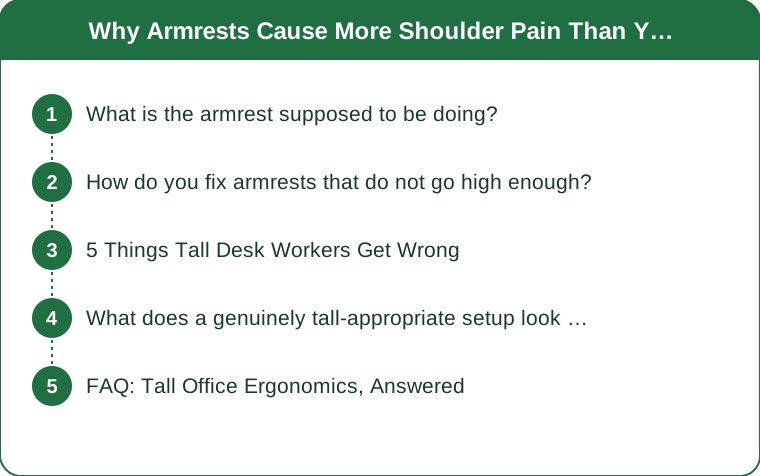
What is the armrest supposed to be doing?
Carrying the weight of your arms, which is more than people assume.
Each arm is roughly 5% of body weight. For a 70kg person that is about 3.5kg per arm, held out in front of the body for eight hours. Without support, that weight is carried by the shoulder girdle — principally the upper trapezius and levator scapulae, the two muscles that ache at the end of a desk day.
Correct support means your forearms rest on something with your shoulders down and relaxed. When that happens, the postural muscles are largely unloaded and you can work all day without accumulating fatigue.
Too low is the common tall-worker failure, and it produces one of two compensations. Either you ignore the armrest entirely and hold your arms unsupported, or you lean to one side to reach it — which introduces an asymmetric spinal load on top of the shoulder problem.
Too high produces shrugging, which is the more familiar complaint and much less common for tall people.
The diagnostic is simple. Sit as you normally work, let your shoulders drop completely, and see whether your forearms land on the armrests. If there is a gap, the armrests are doing nothing and your shoulders are doing everything.
How do you fix armrests that do not go high enough?
In order of cost, and the cheap options work better than they sound.
Check the adjustment first, properly. Many chairs have height adjustment that is not obvious — a button under the arm, a collar that twists, or a mechanism that requires the arm to be lifted firmly. A surprising number of people conclude their armrests are fixed when they are not.
Look for width and depth adjustment too. Armrests set too narrow force the elbows inward and the shoulders to rotate; set too far back, they support the elbow rather than the forearm, which is a much less useful contact point.
Add height with a pad. Armrest pads, or firm foam cut to size and taped, add 2-4cm cheaply. It is not elegant and it works. Gel armrest covers are sold for exactly this and cost very little.
Raise the whole chair and use a footrest. This is the underrated solution. Raising the seat lifts you relative to the armrests only if the armrests are attached to the seat — which they are, so it does not help directly. But raising the seat and the desk together, with a footrest to keep your feet supported, changes the whole geometry to one that fits you.
Consider removing them entirely. A chair with no armrests, pulled fully under a correctly-heighted desk, lets the desk surface support your forearms instead — which is how a lot of tall people end up working comfortably. This only works if the desk is at the right height, which brings us to the real issue.
And if you are choosing a chair, buy for the seat and back first. Seat depth and backrest height matter more than armrests for a tall frame, and armrests can be padded or removed. A seat pan too short for your thigh length cannot be fixed.

5 Things Tall Desk Workers Get Wrong
1. Fixing the monitor and stopping there. Monitor height is genuinely important and it is also the easy, visible fix. Shoulder and forearm support is less visible and produces more of the daily discomfort.
2. Lowering the chair to reach the desk. The most common tall-worker compensation and the most damaging. A desk that is too low pulls you down into it: you lower the seat, your knees rise above your hips, your pelvis tilts back, and your lower back rounds for the whole day. The desk should come up; you should not go down.
3. Assuming a standing desk solves it. Standing changes the loading pattern and does nothing for arm support, and most standing desks are used at a height set by trial and error rather than by elbow position. The same 90-degree elbow rule applies standing, and standing desks that stop too low are a common tall complaint worth checking before purchase.
4. Ignoring seat depth. A seat pan too short for a long femur means no thigh support and pressure at the back of the knee; too long means you cannot use the backrest without sliding forward. Tall workers usually need a deeper pan, and many chairs offer seat depth adjustment that goes unused.
5. Setting up the desk and never revisiting it. Your setup changes when you change shoes, when you change chairs, when you get a new laptop, and when the office reorganises. A two-minute check every couple of months catches drift that otherwise accumulates.
And a sixth: hot-desking without resetting anything. Sitting down at whatever height the last person left is how a tall worker ends up in a badly wrong position for a full day. Two minutes of resetting the chair, screen and armrests is not fussiness — it is the difference between a fine day and a sore one.
What does a genuinely tall-appropriate setup look like?
Built from the elbow outward, which is the reverse of how most people do it.
Start with the chair. Feet flat, knees at roughly 90 degrees or slightly open, thighs supported without pressure behind the knee, backrest supporting the lumbar curve. Set this before touching anything else.
Set the desk to your seated elbow height. Forearms parallel to the floor, shoulders relaxed. For most people over about 6ft this means a desk noticeably higher than the standard 73-75cm — often 78-82cm. If the desk is fixed and too low, raising it on blocks or risers is a legitimate and cheap solution that offices resist for no good reason.
Then set the armrests to match that elbow height, so that forearm support is continuous whether your arms are on the desk or the chair.
Then the monitor, with the top of the screen at or slightly below eye level, which for a tall person usually means a riser or a monitor arm with a long enough column. Standard monitor arms frequently run out of height for tall users, and it is worth checking the maximum before buying.
Then the keyboard and mouse close together, so the mouse arm is not reaching out to the side — that reach is a major and under-recognised source of shoulder pain in its own right.
And check the whole thing in the afternoon, not the morning. Postural fatigue reveals setup errors that a fresh body compensates for. If you are fine at 10am and aching at 4pm, the setup is wrong, not your stamina.
General information rather than medical advice: shoulder or neck pain accompanied by numbness, tingling or weakness in the arm or hand is a different problem from postural fatigue and is worth having assessed.
FAQ: Tall Office Ergonomics, Answered
Should I ask for a specific chair at work?
Yes, and frame it in terms of measurements rather than preference — a seat depth and backrest height that fit your frame, and armrests that adjust high enough. Most workplaces have an assessment process, and a request supported by specifics is treated very differently from a general complaint about comfort.
Are armrests actually necessary?
Not if your forearms are supported by the desk, which requires the desk to be at the right height and the chair to pull fully under it. Many tall people are more comfortable without armrests for exactly this reason, because armrests often prevent the chair getting close enough to the desk in the first place.
Why does my shoulder hurt only on the mouse side?
Because the mouse arm typically works further from the body and slightly abducted, which is a sustained load on the shoulder that the other side does not have. Bringing the mouse closer, using a keyboard without a number pad so the mouse can sit nearer the midline, and occasionally switching hands are the standard fixes, and the keyboard change is the most effective of the three.
TL;DR:
- Each arm is around 5% of body weight, and unsupported arms load the upper trapezius continuously for the whole working day.
- Fixed armrests are set for average seated elbow height, so they sit uselessly low for tall workers — check by dropping your shoulders and seeing if your forearms land.
- Fixes in order: find the adjustment you did not know about, add pads, raise desk and chair together with a footrest, or remove armrests and use the desk.
- Never lower the chair to reach a low desk — raise the desk, even on blocks.
- Set up from the elbow outward: chair, then desk height, then armrests, then monitor, then keyboard and mouse close together.
The monitor gets all the attention because a screen at the wrong height is visible and a shoulder holding 3.5kg for eight hours is not. If your neck and shoulders are the part that aches by four o’clock, the answer is much more likely to be somewhere around your elbows.
Keep Reading
This article is for general informational and styling purposes only. Fit, sizing, and product availability may vary.