Why Standard Monitor Arms Run Out of Height for Tall Desk Workers
Quick Answer: Most monitor arms offer around 30-40cm of vertical travel from a desk clamp, which puts the top of the screen at roughly 110-125cm from the floor on a standard 73-75cm desk. A tall seated eye height is often 125-135cm. The arm is not broken — it has run out. Fix it with a taller desk, a riser under the arm base, or a pole-mount arm with genuine extra reach.
Raised to maximum.
Still looking down.
Because the range assumed a seated eye height you passed years ago.

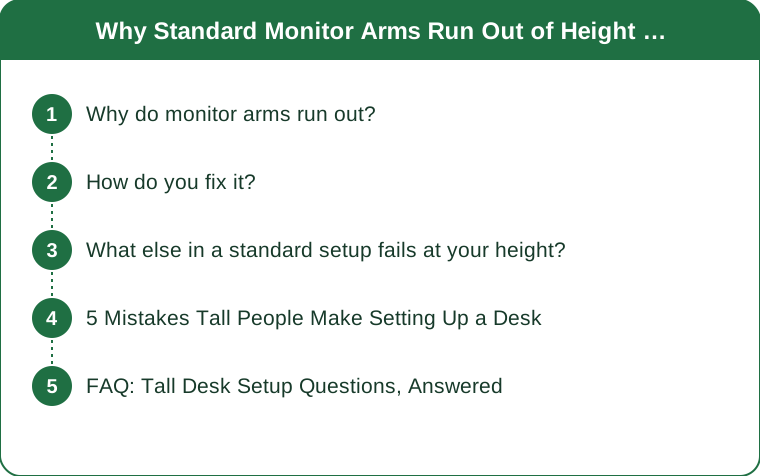
Why do monitor arms run out?
Six design assumptions that stack against a tall user.
Desk height is the fixed starting point. Standard desks are 73-75cm, a figure derived from average anthropometrics. Everything mounted to the desk inherits that starting height, so a tall user begins the whole calculation too low.
Arm travel is finite and modest. Typical gas-spring arms provide 30-40cm of vertical adjustment. That range is centred on the average seated eye height, not extended upward for outliers.
The mounting point sits below the desk surface on many clamps. Some clamp designs put the pole base at or below desk level, which loses several centimetres before the arm even begins.
Monitor mounting position matters. A VESA mount at the centre of a monitor means the top of the screen sits roughly half a screen height above the mount. On a large monitor that helps; on a small one it does not.
Seated eye height varies more than people expect. The relevant number is not your standing height but your seated eye height — floor to eye level while seated at your working chair height. For tall users this is commonly 125-135cm, above what most desk-mounted arms can reach.
And the correct target is not eye level exactly. The top of the screen should be at or slightly below eye level, with the screen tilted back a few degrees, because the natural resting gaze is a little downward. Aiming for dead-centre eye level actually overshoots.
How do you fix it?
Six solutions, cheapest first.
Raise the arm base with a solid riser. A sturdy block or purpose-made riser under the clamp adds height directly. 10cm of riser is 10cm of screen height, and it is the cheapest fix available. Ensure the clamp still grips a full thickness of solid material.
Get a taller desk. A height-adjustable desk with a genuinely tall maximum solves this and the keyboard height at the same time. Check the stated maximum height, not the marketing — many stop at 120cm standing, which is short for a tall user.
Use a pole-mount arm rather than a gas-spring arm. Pole mounts with a long pole offer far more vertical range than folding arms, and the pole can be specified in different lengths.
Consider a wall mount. Wall-mounted arms remove the desk constraint entirely and allow any height. It is a permanent solution and worth it for a fixed workspace.
Check the chair before the monitor. Raising your chair lowers your relative screen problem but requires a footrest and enough desk clearance for your thighs — which tall users often do not have. Solve desk clearance first, then chair, then monitor.
Verify with the right measurement. Sit at your desk in your working posture and have someone measure floor to your eye level. That number minus a few centimetres is your target for the top of the screen. Everything else is guesswork.

What else in a standard setup fails at your height?
Six connected problems that share the same root.
Thigh clearance under the desk. Standard desks give around 65cm of under-desk clearance. Longer thighs and a raised chair frequently exceed it, and the result is either a lowered chair (bad for screen height) or knees pressed against the underside.
Keyboard height. With elbows at roughly 90 degrees and shoulders relaxed, a tall user’s ideal keyboard height often exceeds standard desk height. A height-adjustable desk fixes this; a keyboard tray under a fixed desk usually makes it worse by lowering it further.
Chair seat depth and back height. Standard office chairs have a seat pan and backrest sized for average torso and femur length. A longer femur needs a deeper seat, and a longer torso needs a taller backrest — look for seat depth adjustment and a tall back specifically.
Armrest maximum height. Many chairs run out of armrest height for a tall user, leaving the arms unsupported and the shoulders shrugged or slumped.
Footrest is usually the wrong answer. Footrests exist to help shorter users whose feet do not reach. Tall users generally need the opposite — a taller desk rather than a raised floor.
Laptop-only setups are the worst case. A laptop screen and keyboard are attached, so one of them must be wrong. For a tall user the compromise is more extreme. Raise the laptop and use an external keyboard — it is the cheapest genuine fix in all of desk ergonomics.
Seasonal note: autumn is when many people move back from summer flexible arrangements to more consistent desk hours, and when symptoms from a poor setup surface. Fixing the setup in the first fortnight of a routine change is far easier than reversing neck and shoulder symptoms in December.
5 Mistakes Tall People Make Setting Up a Desk
Mistake one: buying the monitor arm first. The arm inherits the desk height. Sort desk height and chair first, then choose an arm with enough remaining range.
Mistake two: aiming for dead-centre eye level. The top of the screen should sit at or slightly below eye level with a small backward tilt. Natural resting gaze is slightly downward.
Mistake three: raising the chair to fix the screen. It fixes the screen and breaks the keyboard height and thigh clearance simultaneously. Fix the desk instead.
Mistake four: assuming a standing desk maximum is tall enough. Many stop around 120cm, which is below a comfortable standing keyboard height for a tall user. Check the stated maximum before buying.
Mistake five: measuring standing height instead of seated eye height. Standing height tells you nothing about where your eyes sit at your desk. Sit down and measure the number that actually matters.
And the bonus one: accepting a chair with no seat depth adjustment. A seat pan that is too short leaves the thighs unsupported and pushes you forward, and no monitor position compensates for a chair that is fighting you all day.
FAQ: Tall Desk Setup Questions, Answered
Why does my monitor arm not go high enough?
Most provide 30-40cm of travel from a standard 73-75cm desk, which tops out below a tall seated eye height of 125-135cm.
What height should my screen be?
The top of the screen at or slightly below eye level, tilted back a few degrees. Measure your seated eye height rather than guessing.
What is the cheapest fix?
A solid riser under the arm clamp. Every centimetre of riser is a centimetre of screen height.
Should I get a standing desk?
It solves desk height, keyboard height and screen height together — but check the stated maximum height, since many stop around 120cm.
Do I need a footrest?
Probably not. Footrests solve the shorter-user problem. Tall users usually need a taller desk instead.
What should I look for in a chair?
Seat depth adjustment, a tall backrest and armrests with enough maximum height. Standard chairs run out on all three.
What about a laptop-only setup?
Raise the laptop on a stand and add an external keyboard. It is the cheapest meaningful ergonomic improvement available.
TL;DR:
- Monitor arms give 30-40cm of travel from a 73-75cm desk — below a tall seated eye height of 125-135cm.
- Measure seated eye height, and aim for the top of the screen at or slightly below it.
- Cheapest fix is a solid riser under the arm clamp; best fix is a taller desk or a pole/wall mount.
- Do not raise the chair to fix the screen — it breaks keyboard height and thigh clearance.
- Chairs need seat depth adjustment, a tall back and tall armrests; footrests are the wrong tool for you.
Sit at your desk and have someone measure from the floor to your eye. That single number tells you exactly how far short your current setup is.
Keep Reading
This article is for general informational and styling purposes only. Fit, sizing, and product availability may vary.